Why do we put up with one-size tools?
Off-the-shelf tools fit everyone a bit, but they can often carry a hidden cost to you and your business. I'll share a few small tools I've built, and what it looks like when a tool fits the way you work.
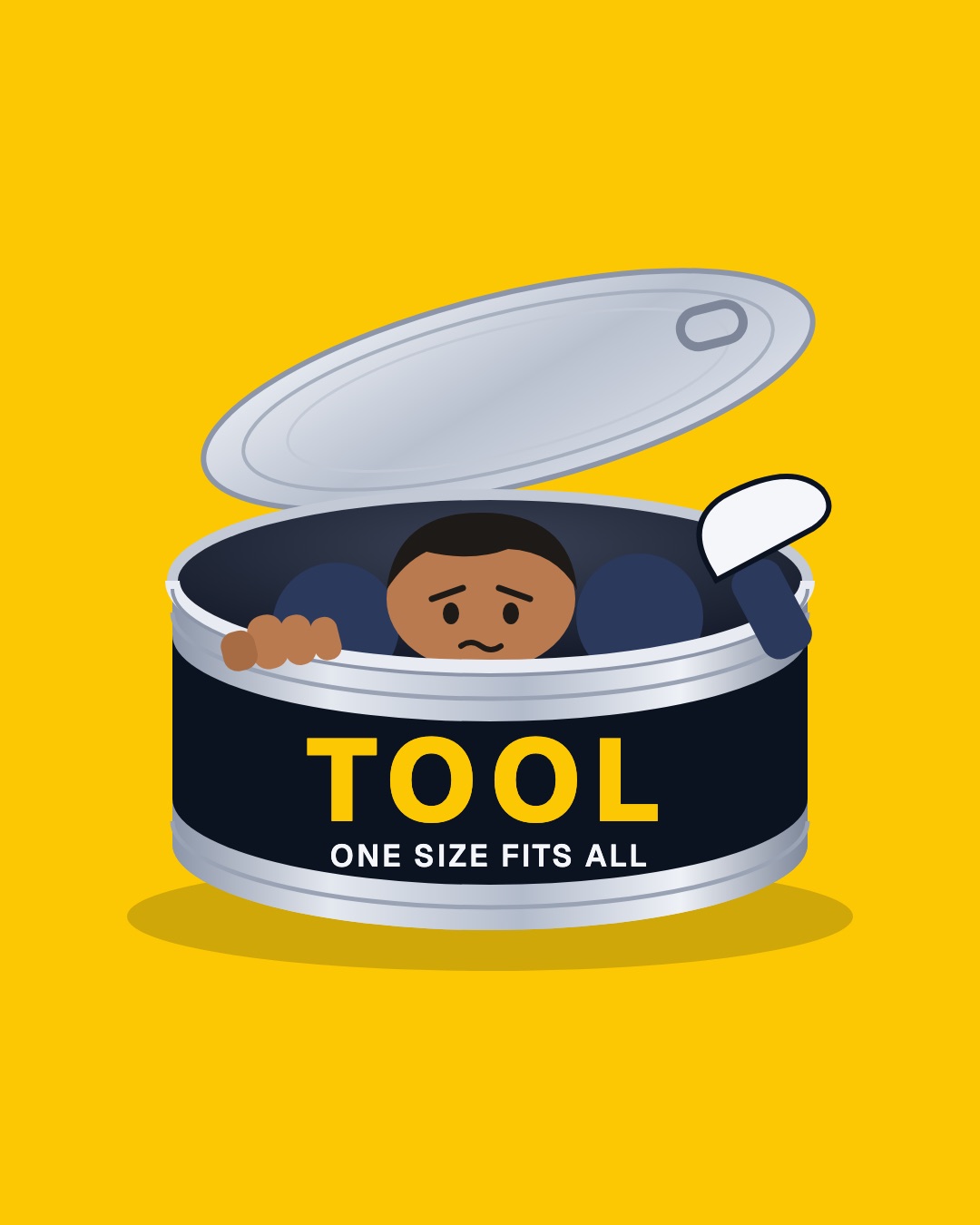
"So, why do we do this?
We know one size doesn't fit all. Yet as business owners, we spend so much time building what makes us different, and then the tools we use squeeze it into the same box.
For many of us, it's a lack of choice."
The squeeze
Maybe you know the feeling. The tool wants your work in its shape, not yours. Maybe it's a spreadsheet that started as a quick fix, but now runs half of what you do. You copy the same details from one app into another, every week. And "could this be easier?" usually ends in another subscription.
Most of the tools we use are nearly right, but not quite. They don't do the thing in just the right way, and they cause friction.
The reality is, most of that isn't one big problem. It's a lot of small ones that add up and never get fixed, but add real friction to what you do every day.
A tool built for you can feel out of reach: too costly, hard to find, hard to know where to start. So I wanted to start addressing this.
Three small tools, each built around one job
I believe we can make tools that support us in the way we work. Here are a few examples of what I've built. Each is small and focused, and does one job the way I needed it done.
I want to make tools like these possible for more small teams, built for them and the way they work.
A map of my keyboard
RSI sent me to a split keyboard with 42 keys, so most of what a keyboard does lives on layers. I kept forgetting what was on each one. The app that sets it up shows one layer at a time, with some keys as codes like LSFT_T(KC_A).
So I built a one-page map. Drop in the file the app saves, and every layer shows at once, in plain words.
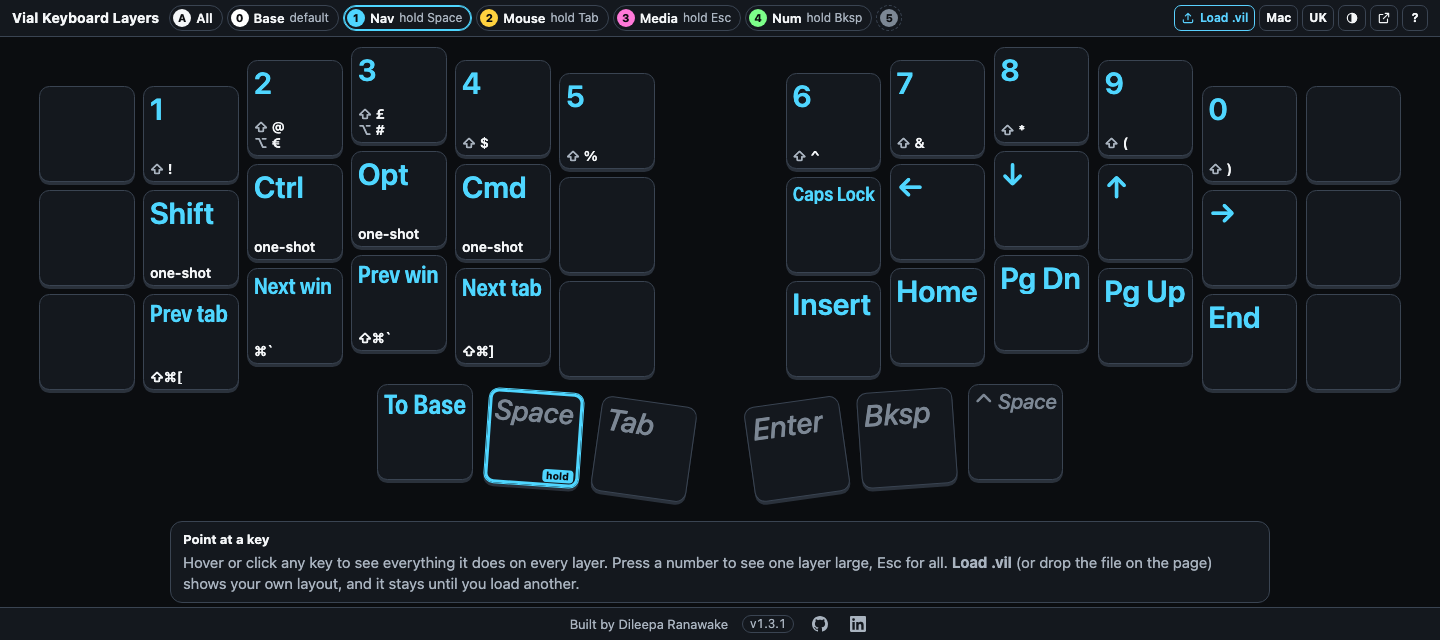
How I built it: Vial Keyboard Layers.
Filing my receipts
Every receipt needs the same few things: a clear name, the right folder and a line in my accounts. A small tool now reads each one, names it by date, amount, category and who it's from, files it by year and adds the line. It shows me what it plans to do first. If a receipt isn't in pounds, it stops and asks me.
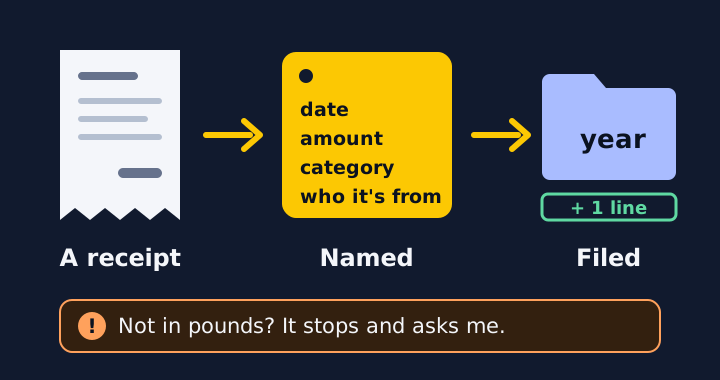
A receipt for a client
When a client pays, I fill in one short file: who, how much and what for. The tool makes the receipt as a page and a PDF, files it with that client's notes and drafts the email. I check it and press send.
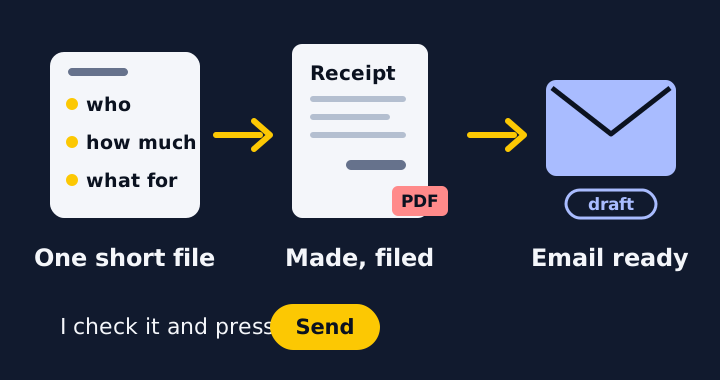
What custom can look like
Custom doesn't have to mean big. It can be one job your current tools do badly, done well.
It starts small, with a first working version you use and then change. It's built around the way you work, and it's yours.
How I work
If there's something here you'd like to discuss, or something else, we start with a free 30-minute call: where you share, what you're trying to do, and what's getting squeezed. After the call I'll recommend a direction. Then I build a small working version, you try it, and we decide together where to go next.
If part of your week feels like you're in that tin and you'd like to explore if I can help, feel free to get in touch. You can book a free 30-minute call to have a chat, no commitment.
Or if you'd like to know more first, you can also see how I work.